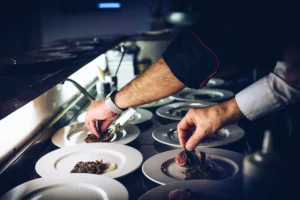
For many restaurant owners in Singapore, the menu is a visual masterpiece. You might spend weeks designing it, choosing the perfect font, and hiring a photographer to capture the sheen on your signature Char Kway Teow. However, there is a disconnect between how a human sees your menu and how Google understands restaurant menus. This gap is often the reason why a potential customer searching for “best truffle fries in Tiong Bahru” finds your competitor instead of you, even if your fries are superior.
When Google crawls your website, it is looking for data, not design. It wants to know exactly what you serve so it can answer specific user queries. If your menu is locked away in a format Google cannot read, you are effectively hiding your best dishes from the very people looking for them.
The Problem with PDF and Image Menus
The most common issue we encounter is menus uploaded as PDF files or high-resolution images. To a diner already on your site, these look great. To a search engine, they are often a dead end.
While Google’s ability to read text within images (optical character recognition) has improved, it is far from perfect. It struggles with stylized fonts, creative layouts, and handwriting. If you rely solely on an image of your menu, you are gambling on whether Google can decipher it. This is frequently why Google can’t read my restaurant menu properly. It sees a file named “Menu_Final_v2.jpg” but may completely miss the fact that you serve “Wagyu Beef Don” or “Vegan Laksa.” Without this text data, Google cannot confidently rank you for those specific food searches.
HTML: The Language Google Speaks
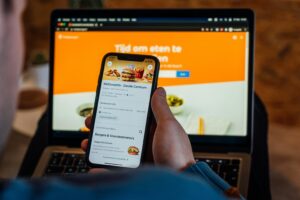
To maximize visibility, your menu needs to be in a format that search engines prefer: HTML text. This simply means typing your menu items directly onto your webpage, rather than uploading a picture of them.
When your menu is text-based, Google can index every single dish, ingredient, and price. This practice is a pillar of effective SEO for restaurants in Singapore because it allows you to start ranking for what you sell rather than just your business name.This is the fundamental secret of how to make restaurant menu items show up on Google search.
Consider a user searching for “gluten-free pasta near me.” If your menu page lists “Gluten-Free Penne” in plain text, Google instantly recognizes the match. If that same item is hidden inside a PDF, Google might miss it, and the user goes elsewhere.
Optimizing Menu Pages for Google and Google Maps
Once your menu is in a readable format, the next step is structuring it for maximum impact. Optimizing menu pages for Google and Google Maps involves more than just listing dishes; it involves providing context.
- Categorization: Use clear headings like “Appetizers,” “Mains,” and “Desserts.” Google uses these to understand the structure of your meal service.
- Descriptions: Don’t just list “Chicken Rice.” Describe it. “Tender poached chicken served with fragrant jasmine rice and house-made chili sauce.” These descriptions contain rich keywords that help match more specific queries.
- Schema Markup: This is a more advanced step, but highly effective. Schema is a specific code you add to your website that explicitly tells Google, “This text is a menu item,” “This number is the price,” and “This is the currency.” It removes all ambiguity, allowing Google to display your menu data directly in search results.
The Role of Google Business Profile
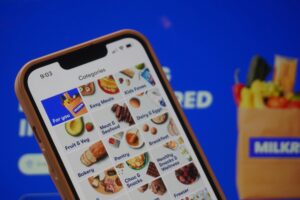
Your website isn’t the only place your menu lives. Your Google Business Profile (formerly Google My Business) has a dedicated menu section. Many owners leave this blank or provide a link to a PDF.
Filling out the specific “Menu” section in your Google Business Profile is crucial. This data feeds directly into Google Maps. When someone uses the “Explore dishes” feature on Maps, Google pulls information from this section. By manually entering your items here, you ensure that your “Signature Chili Crab” is highlighted right when a user is browsing the map for dinner options.
Bridging the Gap Between Kitchen and Search Engine
Understanding how Google understands restaurant menus is about realizing that search engines are blind to aesthetics but hungry for information. They need clear, structured text to do their job of connecting diners with your food.
The transition from a visual PDF to a fully optimized, text-based menu system can seem tedious. It requires data entry, website updates, and technical adjustments. However, the payoff is a restaurant that is visible not just for its brand name, but for every single delicious item it creates.
If you suspect your menu is currently invisible to search engines, it is a problem with a clear solution. A technical review of your current setup can reveal exactly where the disconnect lies.
For a detailed look at how your menu is currently performing in search, visit https://seoforrestaurants.com.sg/ to schedule a menu visibility audit.